Build a Udemy Coupon Discord Bot in 5 Minutes
One webhook, one free API key, forty lines of Node.js. No framework, no dependencies, no scraping.
Published July 19, 2026
Right now, 2,550 verified 100%-off coupons are live on Comidoc, and 336 coupons were verified in the last 24 hours alone. Since Udemy's redemption caps took effect, the median free coupon dies in about seven hours: whoever sees it first, learns for free. This tutorial gives your Discord server that head start, using the same Comidoc Developer API that powers this site, including the one signal nobody else publishes: how many redemptions each coupon has left.
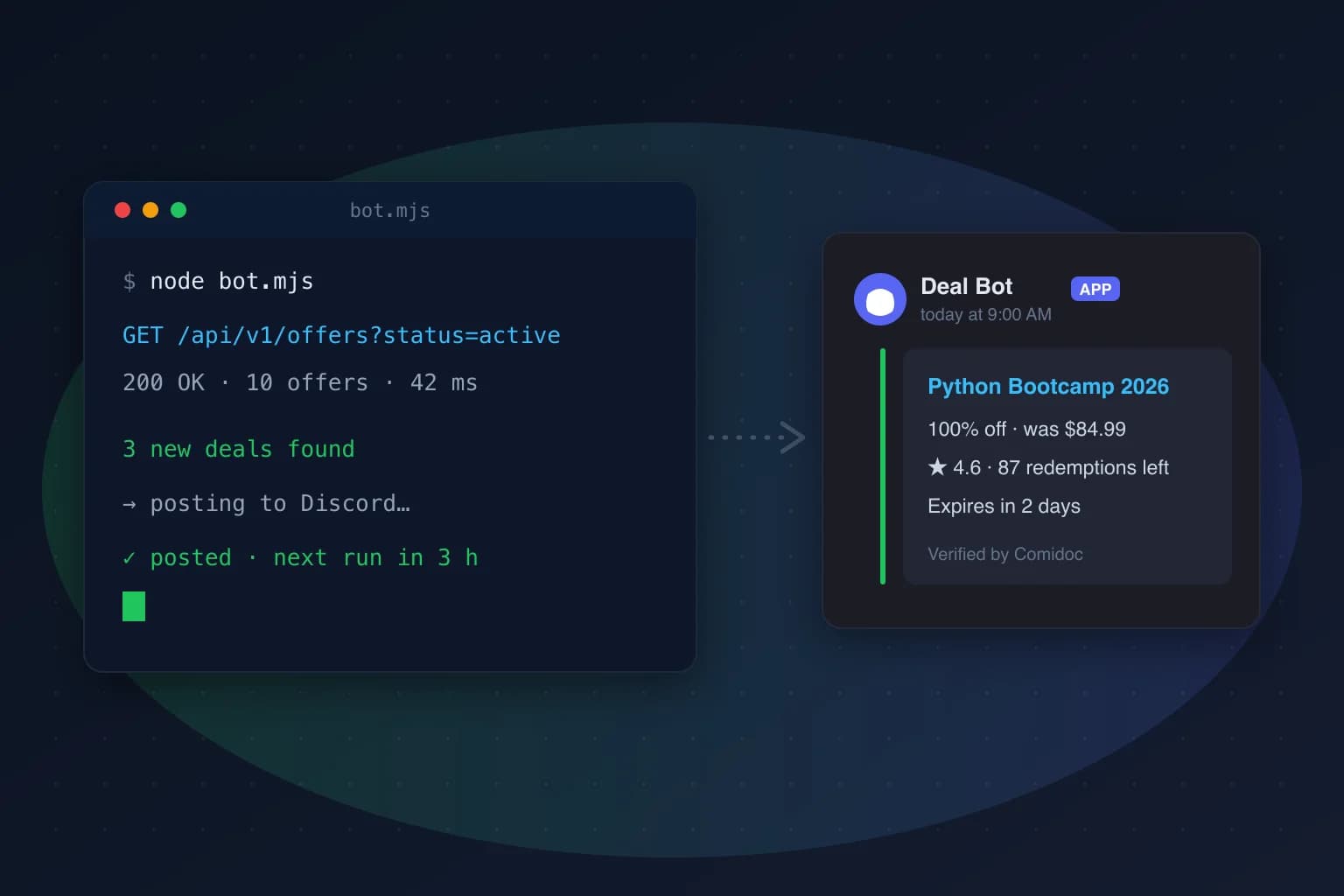
Step 1: Create a Discord webhook (1 minute)
In your server: Server Settings, then Integrations, then Webhooks, then New Webhook. Give it a name (“Deal Bot” works), pick the channel it should post in, and copy the webhook URL. That URL is a secret: anyone who has it can post in your channel, so treat it like a password.
Step 2: Get a free Comidoc API key (1 minute)
Head to the developer portal, sign in with a verified email address, and generate a key. The full key, starting with cmd_live_, is displayed exactly once: Comidoc stores only its cryptographic digest, so copy it right away. The Free plan is enough for this bot, and the coupon capacity data (total, remaining, redeemed, and when it was observed) is included on every plan.
Step 3: The bot, in forty lines (2 minutes)
Create a folder, save the script below as bot.mjs, and put your two secrets in a .env file next to it. The script asks the API for the newest active 100%-off offers, compares them with a watermark file from the previous run, and posts one embed per new coupon. Plain fetch, nothing to install. Prefer not to copy and paste? Fork the ready-made template: it even ships a GitHub Actions workflow, so the bot runs with no server at all.
COMIDOC_API_KEY=cmd_live_your_key
DISCORD_WEBHOOK_URL=https://discord.com/api/webhooks/...
// bot.mjs · Node 20+, no dependencies
import { readFile, writeFile } from "node:fs/promises";
const API = "https://comidoc.com/api/v1";
const KEY = process.env.COMIDOC_API_KEY;
const WEBHOOK = process.env.DISCORD_WEBHOOK_URL;
const STATE = new URL("./last-seen.txt", import.meta.url);
// 1. Read the watermark left by the previous run
const lastSeen = (
await readFile(STATE, "utf8").catch(() => "1970-01-01T00:00:00.000Z")
).trim();
// 2. Ask Comidoc for the newest active 100%-off offers
const query = new URLSearchParams({
status: "active",
discount_type: "free",
sort: "latest",
limit: "10",
});
const response = await fetch(`${API}/offers?${query}`, {
headers: { Authorization: `Bearer ${KEY}` },
});
if (!response.ok) throw new Error(`Comidoc API ${response.status}`);
const { data } = await response.json();
// 3. Keep what appeared since the last run, oldest first
const fresh = data
.filter((offer) => offer.created_at > lastSeen)
.reverse();
// 4. Post one Discord embed per new offer
for (const offer of fresh) {
const expires = offer.expires_at
? `⏳ Expires <t:${Math.floor(Date.parse(offer.expires_at) / 1000)}:R>`
: null;
const remaining =
offer.redemptions.remaining != null
? `🎟️ ${offer.redemptions.remaining} redemptions left`
: null;
await fetch(WEBHOOK, {
method: "POST",
headers: { "Content-Type": "application/json" },
body: JSON.stringify({
embeds: [
{
title: offer.course.title,
url: `https://comidoc.com/udemy/${offer.course.slug}`,
description: [
`⭐ ${offer.course.rating ?? "New"} · ${offer.course.instructor ?? "Udemy"}`,
remaining,
expires,
]
.filter(Boolean)
.join("\n"),
footer: { text: "Verified by Comidoc" },
timestamp: offer.created_at,
},
],
}),
});
}
// 5. Advance the watermark only after posting succeeded
if (fresh.length) await writeFile(STATE, fresh.at(-1).created_at);
console.log(`${fresh.length} new offer(s) posted`);Two details worth noticing. First, on the Free plan the API deliberately returns coupon_code: null and meta.coupon_codes_included: false. The coupon code (for example KEEPLEARNING) and the direct Udemy URL are a Pro feature. That is why the embed links to the Comidoc course page instead, where the coupon is one click away and its verification timestamp is public. Your readers lose nothing, and your bot needs no special handling. Second, the redemptions.remaining field turns your bot from “here is a link” into “here is a link and 87 people can still use it”, which is the difference between a feed people mute and a feed people watch.
Step 4: Run it on a schedule (1 minute)
Test it once by hand:
node --env-file=.env bot.mjsThen let cron take over:
0 */4 * * * cd /home/you/deal-bot && node --env-file=.env bot.mjs >> bot.log 2>&1Why every four hours? Honest math: the Free plan includes 250 requests per month, and a four-hour cadence is 6 calls a day, about 186 a month. That leaves you real headroom for manual runs and experiments. If your community wants faster alerts, the Pro plan raises the ceiling to 100,000 requests per month, makes a five-minute cadence trivial, and unlocks the raw coupon code plus the direct Udemy URL, so your embeds can deep-link straight to checkout.
Step 5: Make it yours
Everything interesting happens in the query. A Python-only channel? Add topic=python. Tired of posting coupons that die before anyone clicks? Add remaining_min=50. Want discounted deals too, not just free ones? Drop the discount_type filter. The API documentation lists every filter, the incremental /changes feed for bots that outgrow polling, and the trending endpoints if you want a weekly “what's hot” digest.
And if your bot lives inside an AI agent rather than a cron job: the same data is available over MCP. Point Claude, Cursor, or any MCP client at comidoc.com/mcp and ask it for courses in plain English; it even works without a key at a small hourly quota.
A word on monetizing your bot
The obvious idea, affiliate links on coupons, does not really work: Udemy's affiliate program and 100%-off coupon traffic do not mix, and Comidoc itself runs zero affiliate links by design. The real asset your bot builds is the community around it: a channel people check every morning is worth more than any per-click commission. Keep the feed honest and fresh, and the audience takes care of itself.
Built something with this? We genuinely want to see it: tell us or share it on the Comidoc Telegram.